OTHER CAMERA & FOOTAGE OPTIONS
Use your phone camera in this room. Keep this host tab visible.
Cyclethon Day 1 · CDawgVODs · prerecorded excerpt ↗Open Twitch, then Capture Twitch / tab and select its tab. Share tab audio in the browser chooser. Clean output is ready for OBS window capture.
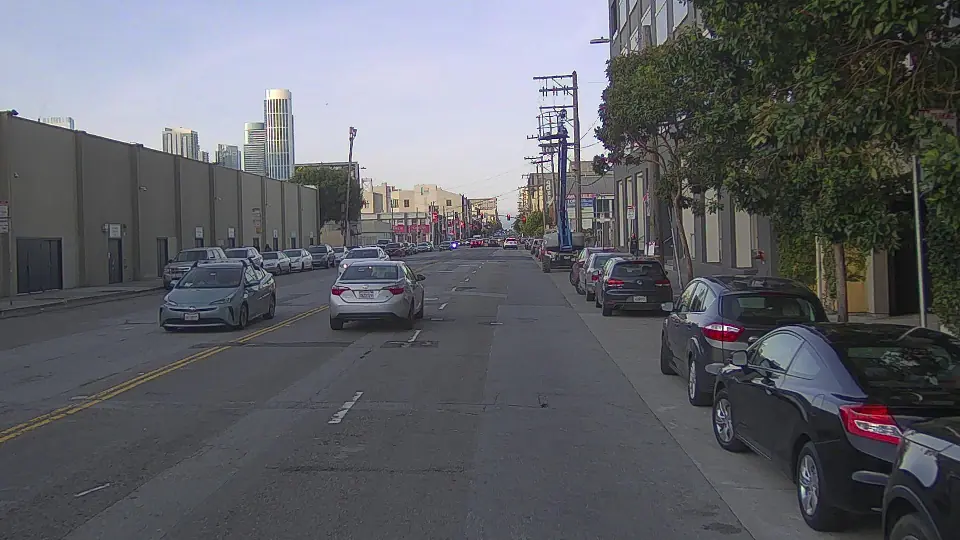
Captured place & photographs
Review the photograph and reconstruction, then choose a frame to share.
Choose a hosted source to preview its original photograph and measured reconstruction. Only Use frame in broadcast shares it; a recorded frame is not live camera tracking.
Captured place
Photographs
Choose a captured place to review it here. Nothing is shared until you use a frame.
Prepared route & registration
No prepared 3D route is available for this ride yet. Camera and voice still work.
The 3D ground is an estimate. Camera position and perspective are adjusted by hand, not measured from the video.
Manual ground controls · no route loaded
People & vehicles in source footage
Bring estimated people and vehicles from recorded or local live camera footage into this shared ride. Amber volumes mark their occupied space. Placement requires a matching camera description; positions and sizes remain estimates.
Live camera/tab capture is off. Only an explicit local detector receives pixels.
Download a connection file, then start the detector using the setup guide.
Run the recorded-video detector with the selected file, or start the local live detector for a live camera/tab/phone and click Send live frames. Live pixels go only to 127.0.0.1 on the host computer. Manual camera calibration must match the displayed reduced frame dimensions. Keep this host tab connected. The guide is also included at tools/live/detect/README.md in the downloaded build.
Detector setup guide ↗The session file grants host access. Keep it private and use it only with your detector.
Ground placement from depth
Load matching depth with source camera intrinsics. Pick visible floor to align the chosen rider at adult scale. Heading stays manually assumed; measured camera motion can keep riders aligned during playback.
Foreground occlusion
Load depth for this video to hide riders behind real objects. Estimated distances need visual review.
Keep the physical camera fixed, then outline an object. Only Behind riders are clipped. No automatic tracking.
No foreground mask
Import a verified route bundle and select an authored frame. Saved outlines require explicit review and stay valid only while that exact frame is paused.
Rider connections
Delay is round-trip time. Loss is the rider’s latest media report. Warnings require continuing loss; fresh clear reports remove them. Missing reports are unavailable.
HOST BATTERY
Battery monitoring is off.
Uses this browser's battery report. Monitoring turns off when the host session changes.
HOST SCREEN
Off.
Only while this host tab is visible. Turns off when the room disconnects. Your device can still put the screen to sleep.
Room connection sounds
Off. Turn on to hear the recovery sound.
Three low notes mean the room disconnected; three rising notes confirm you rejoined. One alert per interruption, only in your headphones or speakers. This monitors the room connection, not video delivery. Turns off when you leave.
HOST HEADPHONES
Hear a rising chime when a rider joins and a falling chime when one disconnects. Turn on to preview. Only this device plays the sounds.
Riders
Host location & imagery reference
Use a live device camera to follow its location.
GPS is a geographic reference. It does not register guests to the video. The origin below stays fixed as you move.
No GPS anchor selected. A browser Maps key is needed only for integrated app controls; the official Maps link works without one.
Day 1 route reference · verify your point ↗Route and provider details
Share one route or segment at a time. You can switch paths here as you ride.
Street View navigates linked panoramic photographs using Google’s renderer. It is existing geographic coverage, not a live camera or free-moving reconstructed mesh. Provider imagery dates may differ from the ride. Google attribution remains visible.
LOCAL RECORDING
WATCH WITHOUT RIDING
Share your public broadcast with viewers without using a rider slot. Start streaming on your platform separately; this setting does not broadcast your camera.
REQUESTS TO RIDE
Viewers can ask for a rider seat. Approved seats are held for one minute.
No requests waiting.
Add a public viewing destination before sharing.
Simulated speed and trip distance. Changes only your display.
Disconnect from this ride and turn off your microphone. Open an invitation when you want to join again.
Ride audio is on. Waiting for incoming media.
Private rider invitation becomes available when the room starts.
Controls: A/D or arrows to steer · W/Space to pedal · hold Brake or S to stop and leave follow · C to coast · F to switch auto ride. Speed and distance are simulated, not measurements of the source video.